
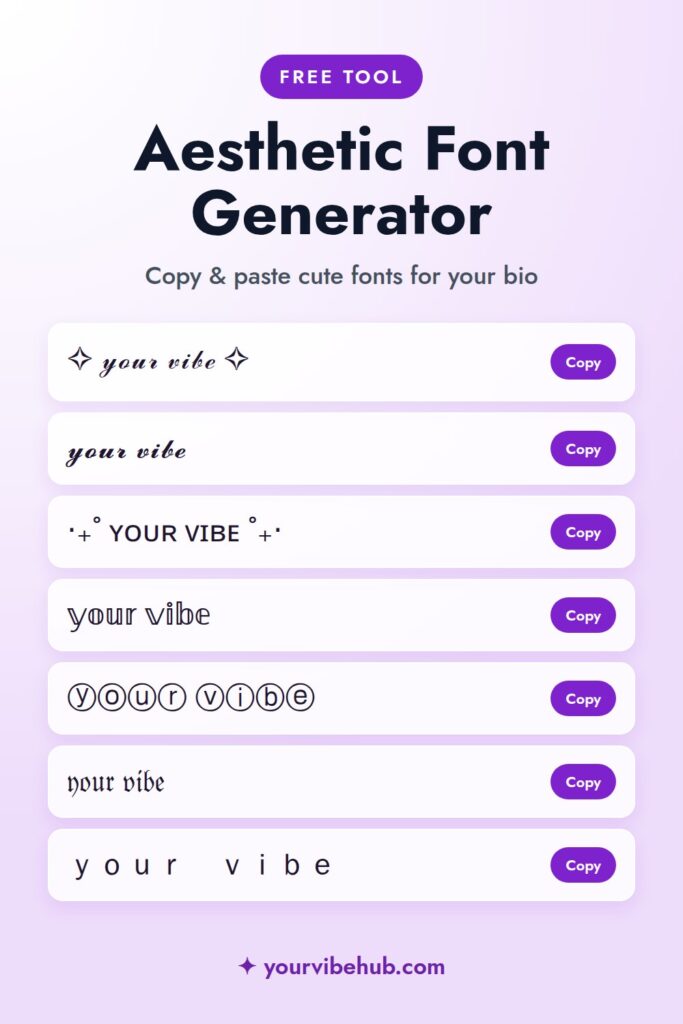
Type anything into the box and get it back in 100 aesthetic fonts: cursive, bold, gothic, bubble letters, small caps, cute kaomoji frames, emoji styles and holiday looks for Halloween and Christmas. Tap Copy and paste it into your Instagram bio, TikTok profile, Pinterest boards or captions.
Tap Copy next to any style, then paste it into your Instagram, TikTok or Pinterest bio. Your text never leaves your device.
Aesthetic Symbols to Copy
Tap a symbol to copy it.
How to Use the Aesthetic Font Generator
- Type your name, bio or caption into the box at the top.
- Scroll through all 100 styles, or tap a group like Cute frames or Holiday to narrow them down. Every style updates as you type.
- Tap Copy next to the style you like.
- Paste it wherever you want it: your bio, a caption, a comment or a board name.
- Mix in a few symbols from the list above, like ✧ or ♡, to finish the look.
Where You Can Use These Fonts
- Instagram: your name field, bio, captions, comments and story text
- TikTok: your bio and video captions
- Pinterest: board names and pin descriptions
- Discord, X and Twitch: display names and statuses
- Notes and texts: anywhere you can paste text on your phone
Your actual username (your @handle) can only use plain letters, numbers, periods and underscores, so save fancy fonts for your display name and bio. Need a new handle to match? Try our aesthetic username generator for cute ideas by vibe.
Aesthetic Bio Ideas by Vibe
Need words to go with your new font? Pick a line for your aesthetic, paste it into the generator and choose a style:
- Cottagecore: picking wildflowers & baking bread ✿
- Dark academia: old books, rainy days & black coffee ☾
- Coquette: bows, pearls & pink ribbons 🎀
- Clean girl: slicked back, glowing & hydrated ✧
- Soft girl: strawberry milk & soft hearts ♡
- Y2K: butterfly clips & lip gloss era ✦
- Old money: tennis, linen & quiet mornings
- Minimalist: less, but better ☁︎
- Fall: cozy sweaters & pumpkin lattes 🍂
- Winter: hot cocoa & snowy nights ❄︎
- Christmas: twinkle lights & cookie crumbs ✧
- Main character: romanticizing my life, one day at a time ⋆˚✿˖°
Not sure which aesthetic is yours? Take the What’s Your Aesthetic? quiz, then pick matching colors with the aesthetic color palette quiz.
Aesthetic Font Generator FAQ
Are these real fonts?
Not exactly. They are special Unicode characters that look like different fonts. That’s why they still show up when you paste them into apps that don’t let you change the font, like Instagram and TikTok.
Why do some letters show up as boxes?
A few older phones and apps don’t have every Unicode character. If you see empty boxes or question marks, try a different style. Cursive, bold and small caps work almost everywhere.
Can I use fancy fonts in my Instagram bio?
Yes. Paste them into your name field or bio and they will show up for everyone. Just keep the most important words easy to read.
Are fancy fonts accessible?
Screen readers can read some of these characters as symbols or skip them, so use them for decoration and keep key information, like links or contact details, in regular text.
Is this font generator free?
Yes. It’s free, there’s nothing to download and no sign-up. Everything happens in your browser, and we never see or save what you type.
How Copy and Paste Fonts Actually Work
Instagram, TikTok and most apps don’t let you change fonts. What this tool does instead is swap each normal letter for a look-alike character from the Unicode standard, the same huge list of characters that includes emoji and letters from every alphabet. A cursive 𝓪 or a bold 𝗮 is technically a math symbol, which is why it shows up everywhere you can type text.
That also explains the few limits. Some phones show an empty box for rare characters, a handful of styles have no version of certain letters, and screen readers may read the characters one by one. Keep the fancy text short and the important information in plain letters.
Where to Use Each Style
Cursive and script look best for a name or a single word at the top of your bio. Bold sans works for section labels like 𝗟𝗶𝗻𝗸𝘀 or 𝗦𝗵𝗼𝗽. Small caps and spaced letters feel clean and minimal, perfect for a clean girl or Scandi profile. Bubble and squared letters are playful and fit Y2K and kawaii vibes.
Matching your fonts to your style makes your profile look intentional. Not sure what your style is? Take the aesthetic quiz, then pick a matching handle with the username generator.
Bio Layout Ideas
A simple three-line bio is easy to read: your name in a decorative font, one line about you with a small symbol as a divider (✧, ♡ or ⋆), and a short call to action with your link. Seasonal tweaks, like a 🎄 in December or 🍂 in October, keep it fresh without rewriting everything.
Do fancy fonts hurt my reach?
Fonts in your bio or display name do not change how your posts are shown. In captions, use them sparingly: keywords written in special characters are not read as normal words by search, so keep hashtags and keywords in plain text.